Just Dropped My CPU Core Temp by 50C In 5 Mins

I will do my first build in about 8 yrs this week. But I noticed everybody is putting the PSU on the bottom now, so I am getting a new case. This Noctua heatsink will fit in one of my full towers, but I don't think it will do very well directly under the PSU:

mvzqkfM.jpg


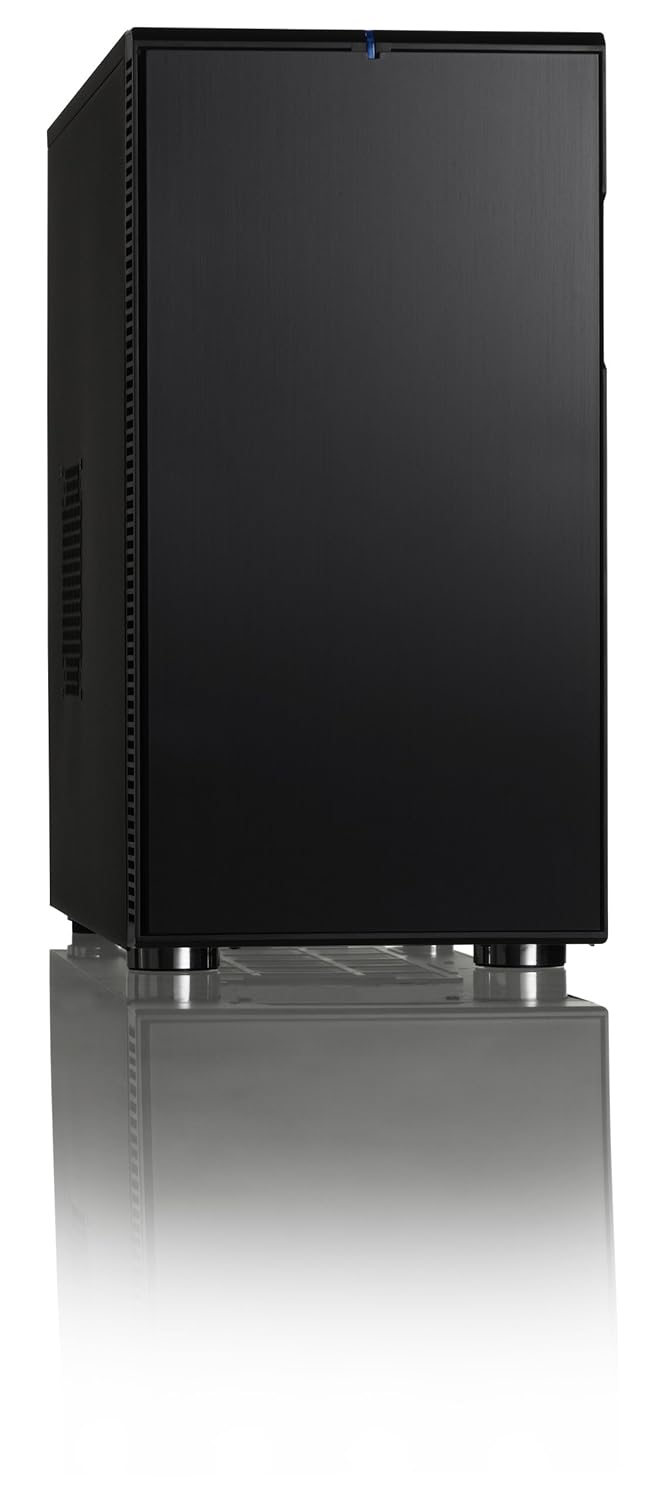
I am leaning toward this one:

bX6AWe1.jpg


Carbide Series® 500R Mid-Tower Case

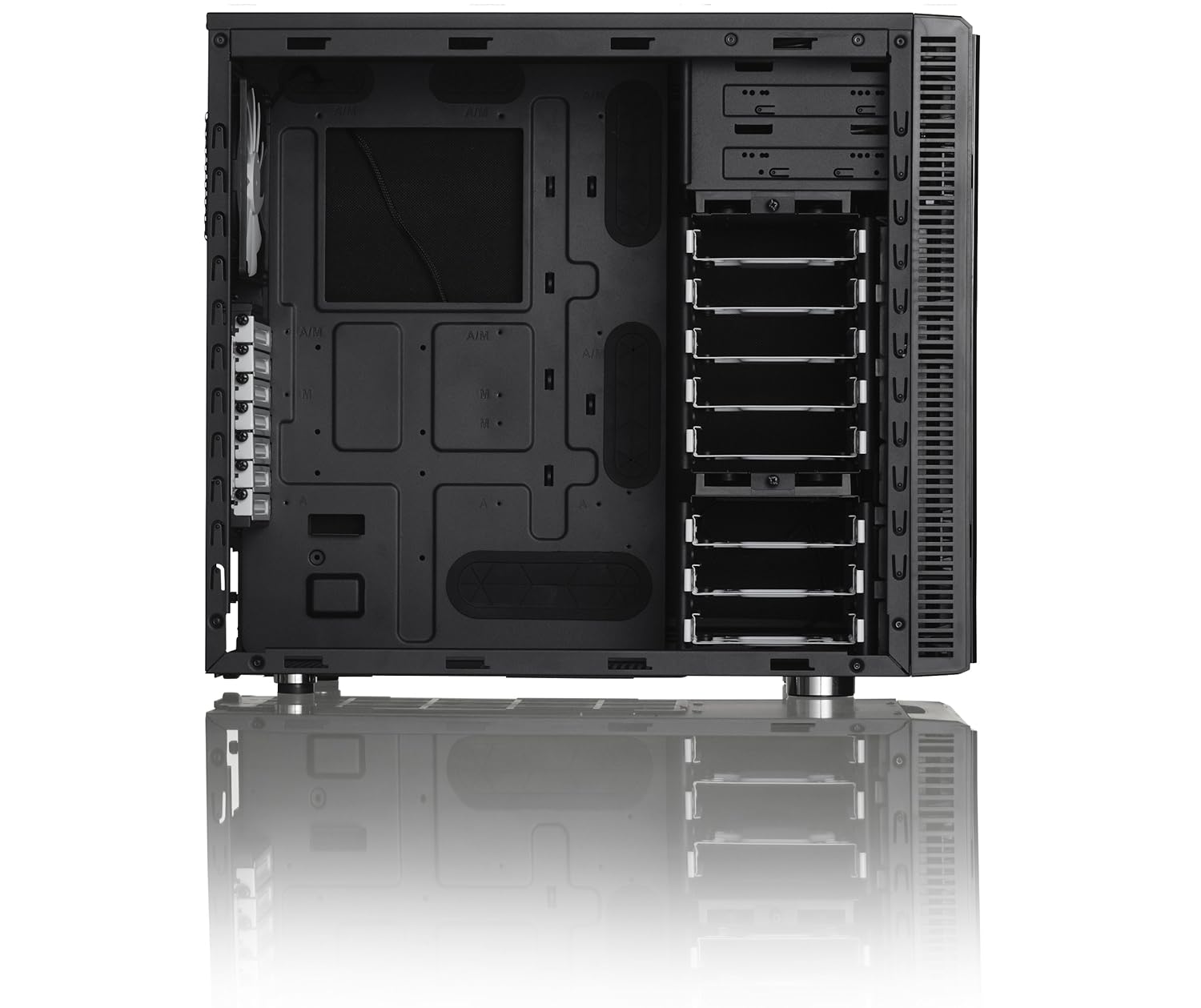
But I thought this one looked interesting:

UaHc5o4.jpg


I don't like the vertical 5.25" bays, and there is only room or around 4 HDDs mounted on the floor. I've seen a couple setups that have the heatsink in it, but most of them use watercooling for this case. The only reason I would get this is if I plan on running more than 2 video cards in the PCI-E slots. The board I got supports CrossfireX.


The 500R is a nice case.

That massive heatsink/fans works but I really think if you buy that case you can buy a H100+ which should be super stable.

Note: If you use the massive heatsink you must buy low profile memory.
 
I will do my first build in about 8 yrs this week. But I noticed everybody is putting the PSU on the bottom now, so I am getting a new case. This Noctua heatsink will fit in one of my full towers, but I don't think it will do very well directly under the PSU:

...

I don't like the vertical 5.25" bays, and there is only room or around 4 HDDs mounted on the floor. I've seen a couple setups that have the heatsink in it, but most of them use watercooling for this case. The only reason I would get this is if I plan on running more than 2 video cards in the PCI-E slots. The board I got supports CrossfireX.


that will work very nice. ive done a few builds recently after taking a few years off and a lot has changed!

why so much data bro? 4 HDDs really?

I was thinking the other day I was doing a build and was just going to get 1 256GB SSD and call it a day.

I've got externals for photo backups and everything else lives on a server, cloud, or some saas stores for me.

As far as video cards and crossfire it really depends on your needs. I have a 2nd PC with a core i5 16GB and 1 VC >> 2 HD monitors and I swear it runs as fast as the PC with specs I posted above!

Good luck with your new build!
 
Note: If you use the massive heatsink you must buy low profile memory.

Yup, bought the Noctua NH-D14 for my build but it didn't fit over the heatsinks on the RAM on either side of it. Wound up with the narrower black ceramic Xigmatek you see in the pic above. The Noctua is sitting here on my shelf.

For my HTPC I put in the Noctua NH-U9B which is smaller, but it could still hit the RAM if it's too tall.

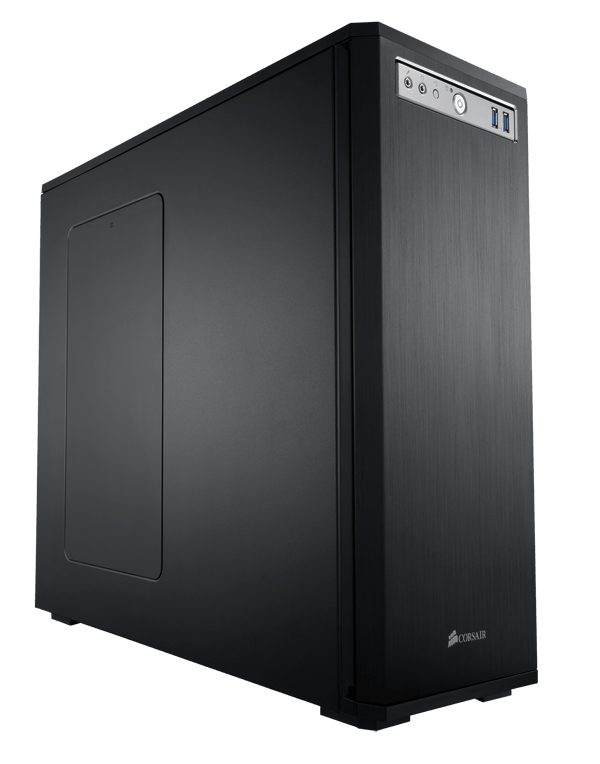
I like the Corsair cases, not a big fan of visible grills and ducts and shit. I like clean black monolithic cases so went with the 550D...

550d_hero.png


Obsidian Series® 550D Mid-Tower Quiet Case - Obsidian Series - Cases
 
aie07vC.png


I had this issue where my PCI slot was hitting over 220F degrees after a software update on my mac. My monitor was constantly shutting down and it was pain in the ass.

What the hell one of your proccesors is running at 130 degrees? How is it not melting !?
 
The 500R is a nice case.

That massive heatsink/fans works but I really think if you buy that case you can buy a H100+ which should be super stable.

Note: If you use the massive heatsink you must buy low profile memory.


I got this board:
bsEUWzX.jpg


GIGABYTE - Motherboard - Socket FM2 - GA-F2A85X-UP4 (rev. 1.0)

and a 2 x 4GB kit of these:

EKGUyqd.png


Vengeance®


I didn't think a whole lot about the RAM not being able to get clearance, because I read a couple benchmarks that had this HS/board/RAM combo, with no mention of having to do any mods to it to get it to fit. I have yet to see any pictures though. I just read the Noctua site says, independent of mainboard brand, that this module won't have clearance.

If the black DIMM slots are for dual-channel, I won't have anything in the nearest slot, but this HS looks like it may cover 2 or 3. Worst case scenario, I will take off the heat spreaders, since there will be a mass of air blowing directly on them anyway.


that will work very nice. ive done a few builds recently after taking a few years off and a lot has changed!

why so much data bro? 4 HDDs really?

I was thinking the other day I was doing a build and was just going to get 1 256GB SSD and call it a day.

I've got externals for photo backups and everything else lives on a server, cloud, or some saas stores for me.

As far as video cards and crossfire it really depends on your needs. I have a 2nd PC with a core i5 16GB and 1 VC >> 2 HD monitors and I swear it runs as fast as the PC with specs I posted above!

Good luck with your new build!

I don't really do gaming, but I need to be able to run a lot of vector/matrix operations in the GPUs, independent of what is needed to manage 3+ displays.

These apps can generate a massive amount of data, which is why I was looking into the number of drive bays. I got a 128GB SSD for the OS partition, and plan on RAID 10 for the rest, so I need at least 4 additional drives.
 
I have 3 AMD chips, 2 quad cores and 1 8 core. They all seem to idle around 25c. All have a hyper212+ heat sink.

I diddnt think intels ran that much hotter.
 
2 x 4GB kit of these:

EKGUyqd.png


Vengeance®

Problem is that they have lp and finned version of that same line of ram ;).

[ame=http://www.amazon.com/Corsair-Vengeance-Desktop-Memory-CML16GX3M4A1600C9/dp/B0058J1QII/ref=sr_1_14?ie=UTF8&qid=1381170973&sr=8-14&keywords=vengeance+blue+low+profile]Amazon.com: Corsair Vengeance 16GB (4x4GB) DDR3 1600 MHz (PC3 12800) Desktop Memory (CML16GX3M4A1600C9): Electronics[/ame]

If I'm not mistaken on that motherboard the cooler will run parallel to the ram, so you have a better chance of it fitting.

If you haven't already ordered the air cooler, consider the Corsair closed loop water cooling H100+ which is maintenance free, doesn't really care too much about ambient temps and is very stable. Just read the reviews.
 
I had this old Dell desktop a few years ago that I had hooked up to a TV to play emulators on, and it started shutting itself off because the processor was getting so hot. I took the fan off and there was like 1/8th an inch of dust that had built up in the bottom of the heat sink. It came off almost like a little sheet. It was ridiculous. Popped the fan back in and she ran pretty cool after that.
 
all this talk about speed and heat and only thinking about 2 4GB sticks of RAM?

I'd at least go with 32GB or half of that, and would make sure you do 8GB sticks otherwise if you really want to expand you dont have to scrap the whole set and start over, you can add onto them.

edit: didnt see you linked to the 16gb but would still go with 8gb sticks.
 
all this talk about speed and heat and only thinking about 2 4GB sticks of RAM?

I'd at least go with 32GB or half of that, and would make sure you do 8GB sticks otherwise if you really want to expand you dont have to scrap the whole set and start over, you can add onto them.

edit: didnt see you linked to the 16gb but would still go with 8gb sticks.


It's a tradeoff- These boards will run 64GB with a BIOS update, but when you go to larger modules, the board will not always run with them at their rated speed.

It's also old habits. I used to just get 2x256MB because the larger modules didn't have the exotic SPD timings and were harder to work with in the BIOS. The board I'm using now has a NForce2 chipset, and I can run 2x1GB PC3200, but one time I added another 1GB in the 3rd slot, and the board wouldn't run dual channel, plus it clocked them down to PC2700 speed.


I laid the heatsink on an old board just to see what it looked like:

PCCs9cf.jpg
 
It's a tradeoff- These boards will run 64GB with a BIOS update, but when you go to larger modules, the board will not always run with them at their rated speed.

Depends on what RAM you get. Buy quality RAM and running it at its rated speed shouldn't be a problem. I like this stuff a lot, but the heatsinks are massive... Corsair Dominator Platinum DDR3 Memory Kits

The larger modules are harder to come by at higher speeds, but it's still doable to get a stable 32-64gb at 2400+ mhz, but you will pay dearly for that memory.

I've got 16gb of the PC319200 running at a very stable 2400mhz. I might up it to 32gb but haven't seen a need to thus far as I can run Adobe Photoshop, Illustrator, InDesign, Bridge, Sublime, a couple browsers with multiple tabs and the usual background apps all at the same time, without a paging file and I have only ran out of memory a couple times in the last year. I have a 60gb SSD dedicated to scratch disk for the Adobe apps, 3dsMax, video editing buffer, etc. I suppose if I were doing more video work I'd get 32gb.
 
OK bros, it looks like I am definitely going to have to do something about the RAM clearance. I put a stack of post-its on the socket and laid the HS down on top of it:

x64Iokc.jpg


Pc9zBiJ.jpg


When I put the CPU in and bolt it down, they will probably be touching, or no more than 1mm apart. This is also having the fan suck in from the back, which might not be a bad idea, because it is near a window that will soon be bringing in cold air.

3ZHYsYx.jpg


So if I want to keep this RAM and HS, i will either

- remove the heat spreaders and put on some smaller ones.
- remove the heat spreaders and let them run naked.

For the long term, if I build another HTPC, it will probably get this RAM, and I can get some more for this system. I got the Carbide 500R case, so I will probably build it this weekend...
 
This is also having the fan suck in from the back, which might not be a bad idea, because it is near a window that will soon be bringing in cold air.

Uh, where you going to vent the machine? Out the front? Your GPU is going to be blowing out the rear though. That's just weird man. The heat from the GPU is just going to rise and get sucked back in though the CPU. The cooler doesn't need that cold of air to work properly anyway. You can reverse the fan easy enough though, it just unclips from the radiator.
 
Uh, where you going to vent the machine? Out the front? Your GPU is going to be blowing out the rear though. That's just weird man. The heat from the GPU is just going to rise and get sucked back in though the CPU. The cooler doesn't need that cold of air to work properly anyway. You can reverse the fan easy enough though, it just unclips from the radiator.

The initial thought was that I could grab the cold air dropping in from the window and exhaust the heat out the side. I use the heat in the winter to help heat the apt. When I had 5 or 6 running, it would have to get below 14 degrees F before I needed to fire up the heater. But those were AMD XP-Mobile CPUs running in desktop systems. They were 35-45 Watts, where the A10 I have now will be 100+ Watts.

Now that I am looking at the case in person, I can see where there would be problems. I will start it out blowing out the back like normal, if it tests OK, i'll probably leave it that way.
 
I removed the heat spreaders. Thy were stuck on with an adhesive, so I carefully pried off the side stuck to the chips while loosening it with some rubbing alcohol. The other side was on more firmly, because this RAM is single-sided. The other side has a rectangular piece of plastic that looks like it was stuck with a hot glue gun. I cleaned everything off, left on the plastic piece, and stuck the stickers on it, in case I forget later where it came from:

fD3Me3g.jpg


For the heatsink, I removed the plastic mounting brackets and installed the ones included:

ktHrj2v.jpg


CPU, RAM and heatsink installed. The Noctua heatsink comes with a syringe of their own thermal paste (NT-H1), it is supposed to be bad ass, so I tried it out:

nIhUJXQ.jpg


Mounted to case:

v7yB1b9.jpg


The side panel has a giant 200mm fan.


Top view, where I can add 2 more fans:

xShmaYy.jpg


Other side of case, where I had to mess around a bit with the placement to get the panel back on. The panel flares out about 1/2 inch near the rear of the case, so the extra PSU cables can go there. This is where I decided I should have gotten a modular PSU:

M3oFRfu.jpg


Also, it is near impossible to get a SATA cable to the bottom drive bay and still have clearance to put the panel on. I have some L-shaped connectors, but they were all pointing down, where I need one that is pointing up.


Back of system:

6SJqDko.jpg


And its current state:

pRqkJME.jpg


The SSD is mounted in one of the top bays, and the WD Blue drives are on the bottom. I have some more drives to put in, but I don't want them in there until after I get it up and running.

I always like working with quality components. In the 7 yrs or so that these companies have had to develop them, they are clearly listening to the consumers. I was impressed with the attention to detail that went into engineering these components.

Next, I have to get some video cards, but I need to read some more to make sure the ones I get will work like I think they will.

The AMD A-series chips have an onboard GPU, the AMD chipset on the board has everything but the GPU, so coupling it with the A-series CPU gives it integrated graphics.

But then, there is dual graphics, where you can add a compatible video card, and the chipset takes the added card and runs it in parallel with its own.

But then, there is CrossfireX, where you can run 2 AMD cards in parallel as long as they have the same GPU. So if you run 2 cards in Crossfire with dual graphics enabled, you are running 3 physical GPUs.

The catch is, the addon GPUs can not be a higher model than the onboard one. So I am looking at Radeon HD 6670 cards:

ASUS EAH6670/DIS/1GD5 Radeon HD 6670 1GB 128-bit GDDR5 PCI Express 2.1 x16 HDCP Ready Video Card - Newegg.com

or

XFX HD-667X-ZWF4 Radeon HD 6670 1GB 128-bit GDDR5 PCI Express 2.1 x16 HDCP Ready Video Card - Newegg.com